MagicShot Review: The All-in-One AI Creative Studio
We have tested MagicShot (magicshot.ai), an all-in-one AI creative studio featuring 85+ tools for image generation, product photography, video creation, and voiceovers on a unified credit system.

Welcome to this MagicShot review 😊!
If you create digital content, run an ecommerce storefront, or manage marketing campaigns, you already know the biggest bottleneck in creative AI today. It is tool fragmentation. You pay one subscription for image generation, another for video rendering, a third for background removal, and a fourth for voiceovers. The costs compound quickly, managing multiple credit pools becomes a chore, and bouncing assets between separate browser tabs wastes valuable production time. I have been testing MagicShot and it provides a remarkably sensible way to consolidate visual and audio workflows under one roof.
The generative media space is crowded with specialized, single-purpose apps. What makes the MagicShot platform different is that it breaks down the barriers between media formats. Instead of forcing you to string together separate services, MagicShot bundles more than 85 AI tools, spanning text-to-image creation, ecommerce product photography, video generation, photo editing, and audio synthesis, into a unified workspace powered by a single, shared credit system.
Let's dig in.
Getting Started with MagicShot
First thing you notice on magicshot.ai is that it is built for quick execution. Rather than burying creative tools behind complicated settings or convoluted node graphs, the platform presents a clean, categorized dashboard accessible via both web browsers and iOS devices.
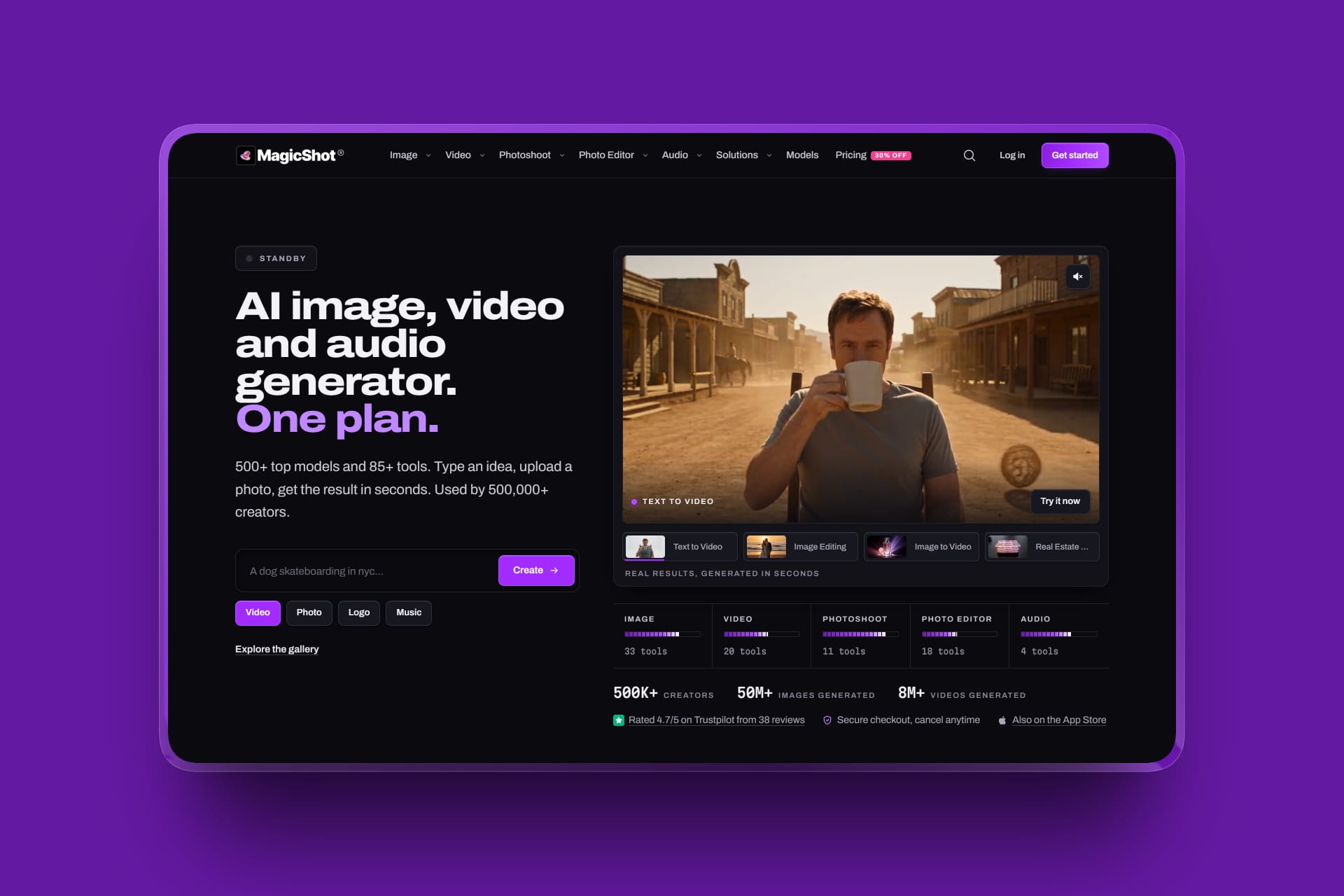
The platform gets straight to the point. You can choose a starting point based on what you need to build: an AI image, an ecommerce catalog shot, an animated video, or a voiceover track. Because all tools are unlocked on the same account, you do not have to purchase separate add-ons just to try a different creative format.
Onboarding takes only a couple of minutes. Once you log in, your credit allowance is immediately available across the entire catalog of tools, allowing you to move directly from raw concepts to finished assets.
How It Works: Unified Multi-Modal Generation
In most creative workflows, turning a product concept into a full ad campaign requires moving files through several independent platforms. MagicShot streamlines this process into a connected pipeline.
.jpg)
What stands out is how easily assets transfer across creative categories. For example, an ecommerce merchant can take a casual smartphone snapshot of a product, run it through the Background Remover to isolate the object, place it into a styled lifestyle scene, upscale it to 4K, and then feed that final image directly into the Product-to-Video engine to generate a motion ad for social channels.
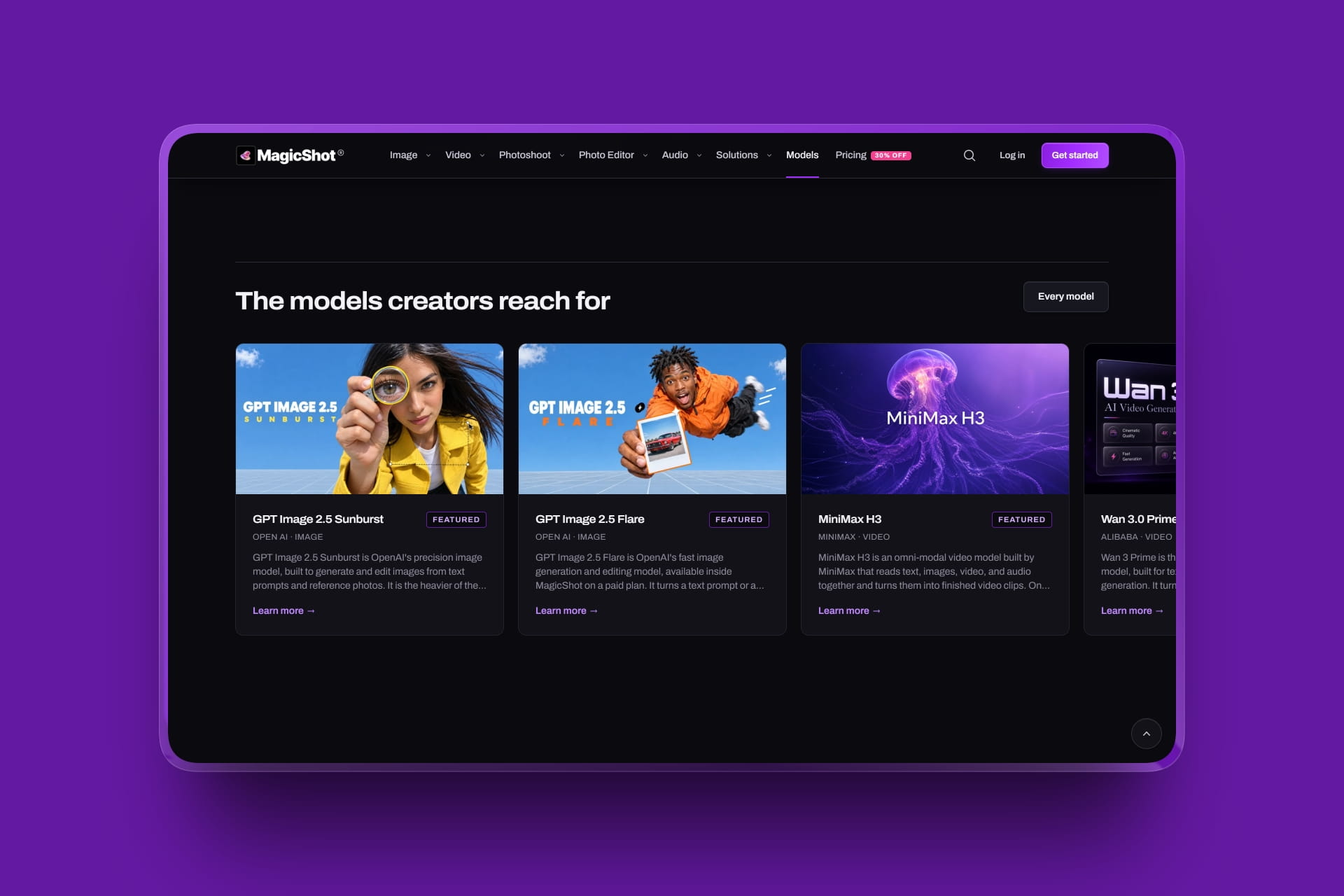
The primary advantage is the shared credit pool. Instead of paying for a dedicated video plan that you only use occasionally alongside an image subscription that runs out of credits, MagicShot draws from a single monthly credit allowance. You spend your credits on whatever asset type your current project demands.
The Creative Workflow Experience
This is where MagicShot demonstrates its practical value. The interface keeps creative generation fast, visual, and prompt-driven.


You can easily experiment with multiple camera angles without booking physical photo studios, produce short UGC-style video clips from text prompts, and clean up visual artifacts with dedicated editing brushes. It offers a smooth, reliable workflow for solo creators and lean marketing teams who need high-volume creative output without complex software overhead.
Key Features Worth Knowing
Ecommerce Product Photo Studio
Transforms standard mobile photos into Amazon-compliant pure white background listings or rich lifestyle scenes. It includes a multiple-views feature that lets you generate front, side, top-down, and 3/4 perspective shots without physical reshoots.
AI Video Generator & Motion Tools
Enables text-to-video and image-to-video generation up to 1080p resolution. Tools like Product-to-Video and facial expression transfer make it simple to produce short-form video ads for TikTok, Instagram Reels, and YouTube Shorts.
Comprehensive AI Photo Editor
Includes dedicated tools for background removal, unwanted object erasing, low-light image brightening, old photo restoration, and upscaling low-resolution visuals up to 4x sharpness.
AI Audio and Music Suite
Converts scripts into natural voiceovers and generates original, royalty-free background music tracks tailored by genre, mood, and tempo for video projects or podcasts.
Unified Credit System
All 85+ creative utilities draw from the same monthly credit balance, eliminating the need to track multiple billing cycles across different vendors.
Flexible Access and Pricing
Instead of paying multiple individual $20 to $30 subscriptions for disparate AI tools, MagicShot starts at an accessible entry tier and scales based on output volume.
- Ecommerce Sellers : turn quick product snapshots into complete multi-angle catalog listings, lifestyle graphics, and video promotions.
- Social Media Creators : generate eye-catching thumbnails, futuristic avatars, and short-form video clips on a steady production schedule.
- Marketing Agencies : produce ad creative variants, client mockups, and voiceover demos within one centralized subscription.
- Podcasters & Video Editors : generate theme music, speech transcriptions, and promo art without licensing separate audio software.
Paid plans include full commercial usage rights, ensuring that graphics, video clips, and audio tracks can be used safely in paid advertising and client deliverables.
Who Is MagicShot For?
- Amazon, Shopify, and Etsy sellers wanting studio-grade product photos without hiring professional photographers
- Content creators looking for an all-in-one suite for thumbnails, social graphics, and video clips
- Digital marketers testing high-volume ad variations across multiple visual formats
- Small businesses needing occasional marketing assets without ongoing design retainers
- Indie founders seeking fast mockups, logos, and promotional video teasers
- Anyone looking for a reliable, all-in-one AI creative studio
Accessibility: Fragmented AI Apps vs. MagicShot Studio
| Feature | Single-Purpose AI Subscriptions | MagicShot Platform |
|---|---|---|
| Tool Coverage | Isolated to one medium (image only or video only) | 85+ tools covering images, video, editing, and audio |
| Credit System | Disconnected balances across 3–5 different logins | One unified credit pool shared across all tools |
| Workflow Friction | Constant exporting, re-uploading, and tab switching | Native pipeline from image editing to video generation |
| Commercial Rights | Often gated behind expensive enterprise tiers | Commercial use license included on standard paid plans |
MagicShot Review: The Verdict
✅ What I liked:
- Consolidates more than 85 generative tools into a single workspace
- Eliminates subscription fatigue by using a unified credit pool
- Dedicated ecommerce features produce listing-ready multi-angle shots
- Fast generation speeds across image, video, and audio pipelines
- Direct, browser-based and iOS access for on-the-go asset creation
- Commercial usage rights included on standard subscription tiers
Overall, MagicShot delivers a straightforward and practical alternative to managing a fragmented creative tech stack. It removes the friction of jumping between disconnected apps, giving you the flexibility to generate images, produce video clips, and edit audio within a single workflow. If you want to cut down on software expenses while keeping your creative pipeline efficient, it is well worth exploring.
The ability to move fluidly from a basic photo upload to a high-resolution catalog image and an animated social ad makes MagicShot a capable companion for modern digital creators.
.jpg)
Latest News: MagicShot Official Launch
To understand the platform's development pace, you only have to look at its recent updates. MagicShot has expanded its tool catalog past 85 individual utilities, rolling out advanced ecommerce camera-angle generation alongside dedicated iOS app support to give creators seamless mobile and desktop creative capabilities.
FAQ
What is MagicShot?
It is an all-in-one AI creative studio that combines more than 85 AI-driven tools for image generation, video creation, photo editing, and audio production in a single subscription.
How does the credit system work?
MagicShot uses a unified credit model. Rather than forcing you into separate allowances for each media type, your monthly credits can be spent interchangeably across image, video, and audio tools.
Can I use generated assets for commercial projects?
Yes. MagicShot includes commercial usage rights on its paid subscription plans, allowing you to use generated images, audio, and videos for client work, storefronts, and advertisements.
Does MagicShot work on mobile devices?
Yes. In addition to its desktop web platform, MagicShot offers a dedicated iOS application, making it easy to snap reference photos on your phone and edit them directly.