Query Streams Review: Live SQL in Google Sheets & Excel
We've tested Query Streams, a powerful platform designed to run live SQL queries directly in Google Sheets and Excel, eliminating the need for manual data exports forever.

Welcome to our review of Query Streams 😊!
It's no secret that for almost any important task at work, a spreadsheet is the go-to tool. After all, what can't you do with them? From tracking sales numbers and project timelines to building complex financial models.
The problem is that the moment you get your data perfectly formatted inside that spreadsheet, it's already out of date. We spend countless hours exporting CSV files, wrestling with copy-paste errors, and sending emails asking, "Is this the latest version?" This constant, manual data shuffle is not just a massive waste of time; it’s a recipe for mistakes.
To solve this exact problem, tools like Query Streams have emerged. It's a platform designed to create a live, direct bridge between your database and your spreadsheet, allowing you to run SQL queries without ever leaving your workbook. Let's find out if it works as seamlessly as it sounds.
-min.png)
Getting Started with Query Streams
To begin, Query Streams is a service comprised of a web dashboard, a small network agent you install locally, and a spreadsheet add-on. This ecosystem is supported by a clean, professional website that clearly details the application's purpose and features.
The site does an excellent job of highlighting its core value proposition: providing a secure and simple way to work with live data. It positions itself as a powerful power query alternative, especially for Google Sheets users. There's a dedicated section on security that I found particularly reassuring, explaining how its architecture avoids the need for risky inbound firewall ports. For anyone entrusted with sensitive company data, this is a crucial detail.
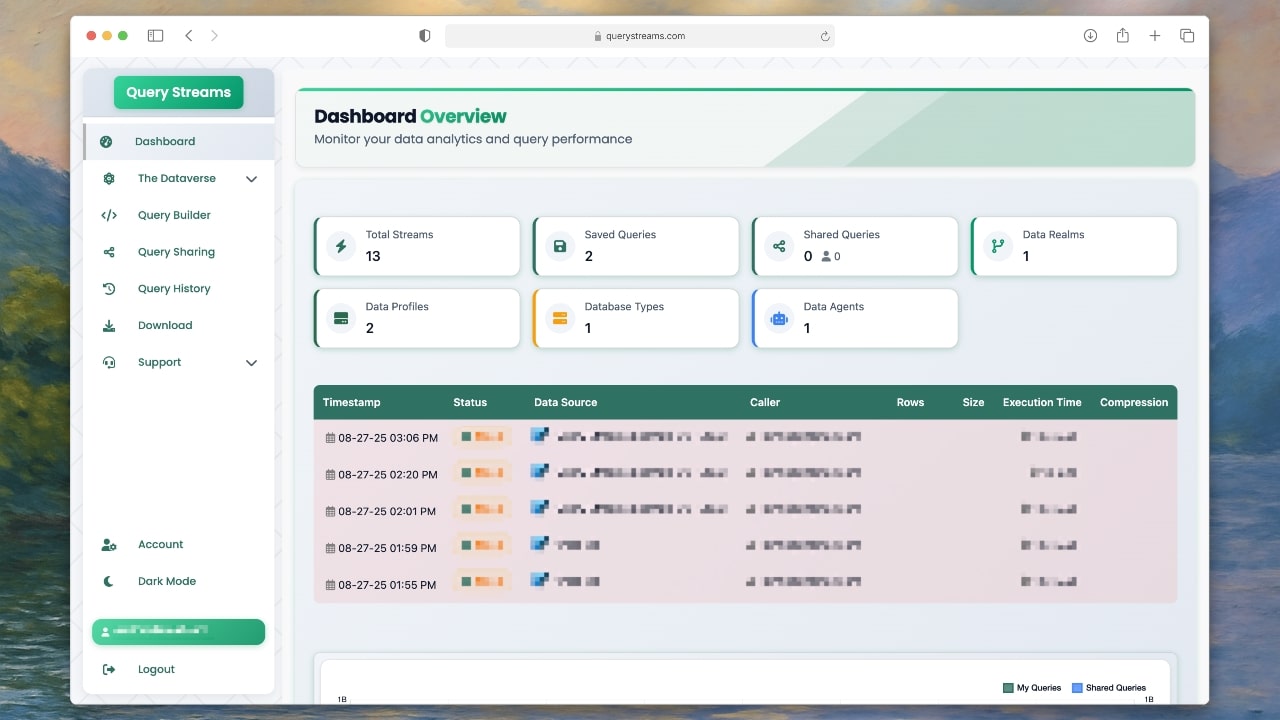
The application is clearly designed for power users, analysts, and finance teams who need to perform a query in excel or Google Sheets with live data. Getting started is straightforward, with a free plan available to explore the platform's full capabilities.
How it works: Putting Query Streams to the Test
Now, it’s time to put the promising functionalities of Query Streams to a real-world test.
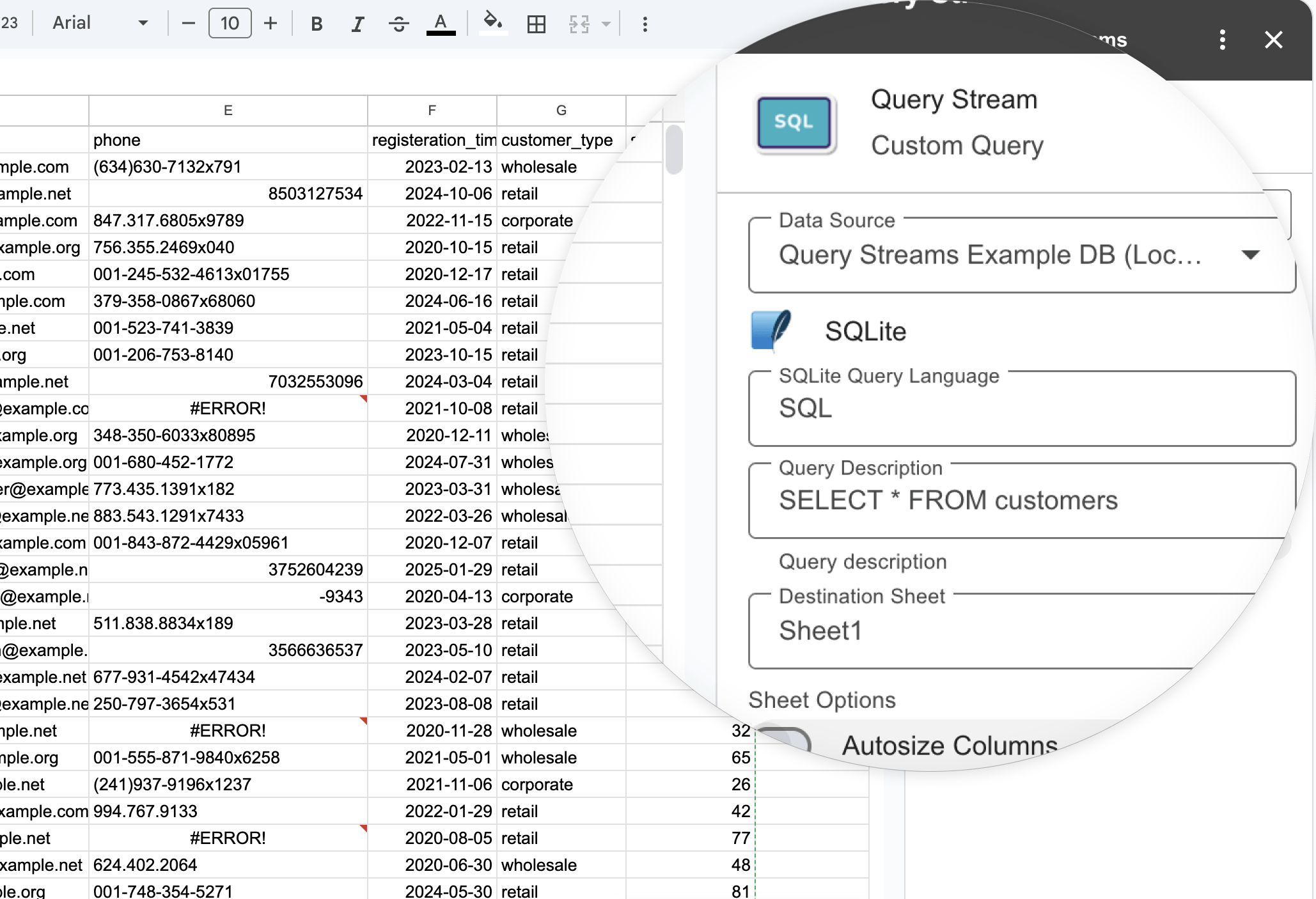
Setup and First Connection
The first step was creating an account and downloading the "Network Agent." I installed this on a Windows server on our network that had access to our SQLite database. The setup was surprisingly quick and required no complex configurations. With the agent running, the final step was installing the Query Streams add-on from the Google Workspace Marketplace.
Once inside Google Sheets, the interface is simple and minimalist. Personally, I appreciate these types of designs that integrate smoothly without unnecessary clutter, as it allows users to focus on the main task at hand and provides a better overall experience. And that was it! The system was ready for my first query.
The Test: Running a Live Query and Sharing
To push the test further, I focused on its collaborative features. As a website owner, a common task is sharing specific performance data with an external partner, like a marketing contractor. Usually, this means I have to export a CSV and send it over, which is both insecure and instantly outdated.
I wanted to see if Query Streams could solve this. I went into the web dashboard and built a query to pull traffic and conversion metrics for a specific campaign. The key was adding a dynamic filter for the "Campaign ID." Then, using the sharing feature, I granted access to that query to a separate test account, effectively simulating my contractor.
The experience from the other side was what really sold me.
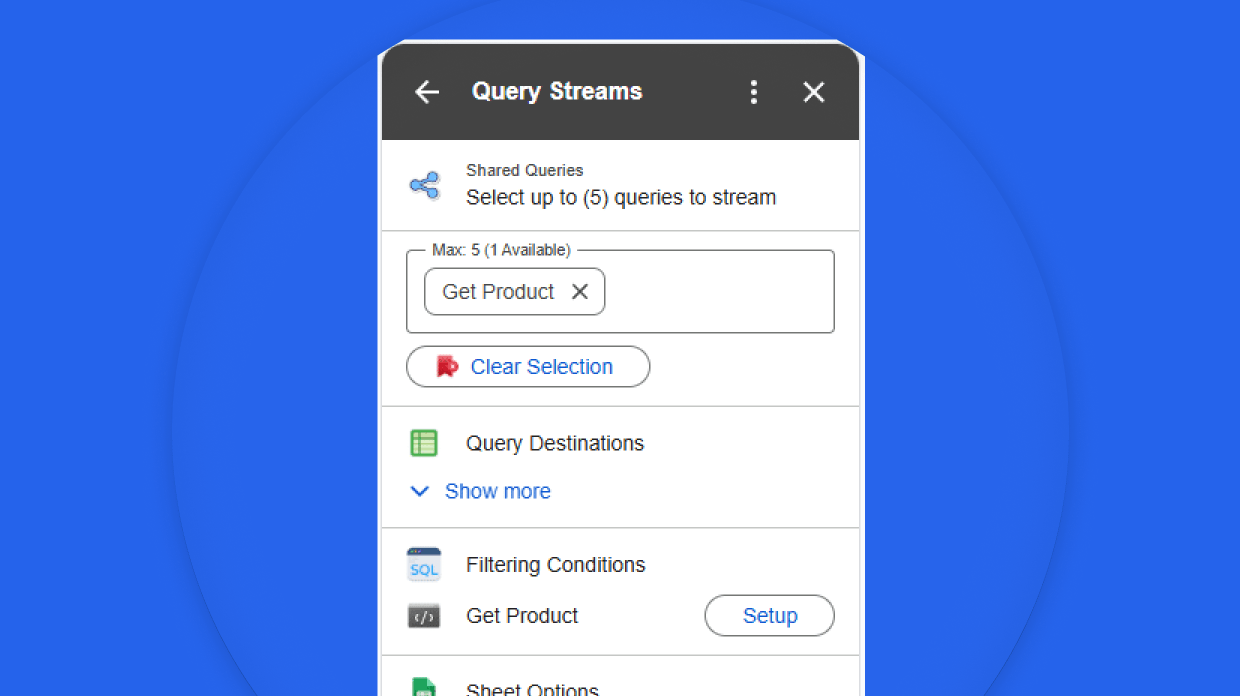
I logged in with the test account and opened a blank Google Sheet. Inside the Query Streams add-on, the shared query was listed by name. There was no complex interface or code. There was just a single input field asking for the Campaign ID. After typing it in and hitting run, the sheet populated with the live, up to the minute data from my database.
This is a powerful and practical security model. My "contractor" could now pull the exact data they needed at any time, completely on their own. Meanwhile, my database credentials and the underlying SQL query remained entirely private and secure. It’s a smart solution that replaces the clumsy process of emailing static files and gives partners a secure way to get live information.
The Verdict: Did It Deliver?
Query Streams absolutely passed the test. The platform delivers a stable, secure, and highly effective connection. The interface feels less like a complex tool and more like a natural extension of the spreadsheet itself.
Every data refresh is fast and accurate, pulling the latest information directly from the source. The confidence that comes from knowing your numbers are always live is a significant benefit. I must admit, it is a truly practical tool that solves a very real and persistent problem. The ease of use means that with a few simple clicks, you can genuinely transform a static spreadsheet into a dynamic dashboard.
Pricing
Now that we understand what Query Streams can do, let's look at the price.
Getting started with Query Streams is completely free.
Query Streams offers a tiered approach that scales with your needs:
- Individual Plan (Free): There is a genuinely free plan that isn't just a limited-time trial. It includes 10 MB of data processing, which is perfect for individuals or for thoroughly testing the platform on smaller projects.
- Business Plan (Starts at $100/month): For teams, this plan increases the data allowance to 150 MB and allows for more Network Agents and Datasources. Crucially, this tier unlocks the essential sharing and management features needed for collaboration.
- Enterprise Plan (Starts at $500/month): Aimed at larger organizations, this plan provides 1 GB of data processing and significantly higher limits for agents and datasources to support extensive use.
-min.png)
Who Should Use Query Streams
Anyone who regularly moves data from a database into a spreadsheet can benefit from this tool. From a single analyst to a large enterprise team, Query Streams streamlines a critical workflow.
It’s particularly effective for building and sharing reports. Imagine giving your partners a spreadsheet where they can pull their own sales figures just by changing a date, without ever needing direct access to your systems. It is an elegant solution for anyone looking to connect excel to database systems or build a more powerful database for google sheets.
Conclusion of Query Streams Review
We have reached the end of our Query Streams review, and it’s a tool I can clearly recommend. Its blend of simplicity, security, and performance makes a meaningful difference to any data-driven workflow.
What I loved most:
- Simplicity and Ergonomics: The entire user journey is intuitive and well-designed.
- The Security Model: The agent-based approach provides peace of mind.
- Live Data Connection: The ability to have on-demand, fresh data is the standout feature.
- Cross-Platform: It works seamlessly for both Excel and Google Sheets users.
This application turns a time-consuming manual process into a simple, automated one. It keeps you in the familiar environment of your spreadsheet while giving you the power of a live database connection, ensuring your decisions are always based on the freshest data available.

Tags: power query alternative, google sheets templates, sql data, query in excel, database for google sheets, run sql queries in excel, run sql queries in google sheets, excel power query, google sheets sql query, connect excel to database, connect google sheets to database