Salestrics Review: The AI-Native Revenue Workspace for Startups
We have tested Salestrics, an AI-native revenue workspace that unifies CRM, business email, documents, and support ticketing onto a single customer graph, helping startups eliminate fragmented tool stacks.

Welcome to this Salestrics review 😊!
If you have been running a startup or scaling a revenue team, you already know the biggest bottleneck in the modern software stack. It is the "Frankenstack." Your team is constantly switching tabs between a CRM, an inbox, team chat, document drives, and project management tools. The software operates in silos, meaning your AI assistants have no real context. You copy email threads into a prompt window, the AI guesses the gaps, and you get generic outreach drafts that miss critical details of the deal.
I have been testing Salestrics and it is one of the more practical consolidated revenue workspaces available for keeping sales, mail, documents, and team operations aligned.
The B2B SaaS space is often obsessed with buying individual point solutions. This setup adds tool sprawl, high subscription costs, and severe context collapse. What makes the Salestrics platform different is that it introduces a unified customer graph from day one. It consolidates CRM, mail, docs, support, and collaboration into a single, connected data layer so that your AI assistant actually understands the live history of your accounts.
Let's dig in.
Getting Started with Salestrics
First thing you notice on salestrics.com is that it is built specifically for early-stage startups and lean go-to-market (GTM) teams. This is a true unified workspace, not a collection of loosely integrated plug-ins.
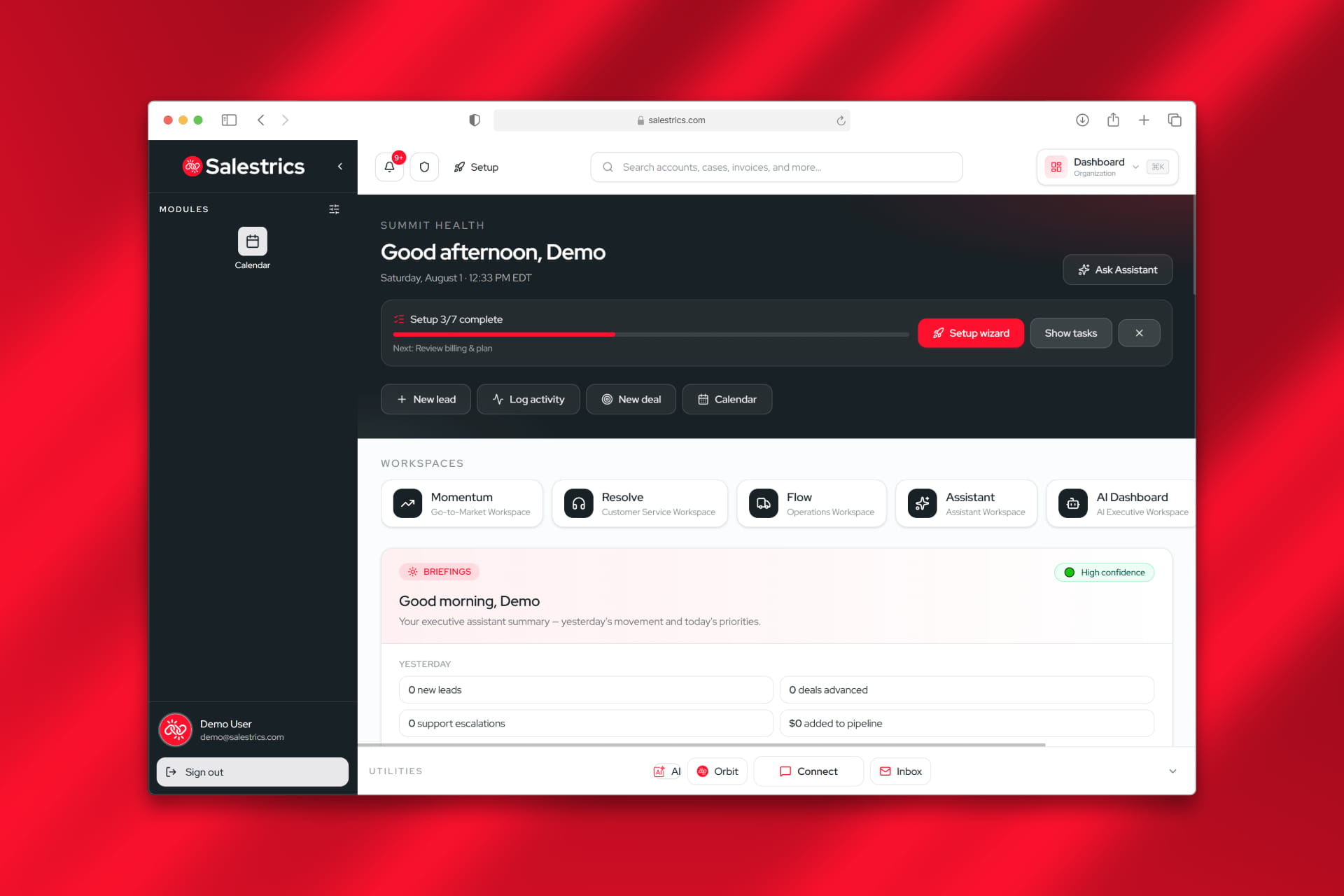
The platform gets straight to the point. The setup is designed to be self-serve, allowing you to establish your pipeline, connect your mail, and import your contacts in an afternoon. This avoids the long, multi-week implementation timelines common with enterprise CRMs.
Getting started with your workspace is highly accessible. Because they offer a fully functional Free Forever plan that includes core features, not a watered-down trial, you can test the workflow with your real deals before upgrading as your team expands.
How It Works: The Connected Revenue Workspace
In most startup environments, crucial deal context is scattered across inboxes, Slack channels, Google Docs, and spreadsheet tabs. By the time you need to pitch or follow up, your data is fragmented. Salestrics addresses this directly.
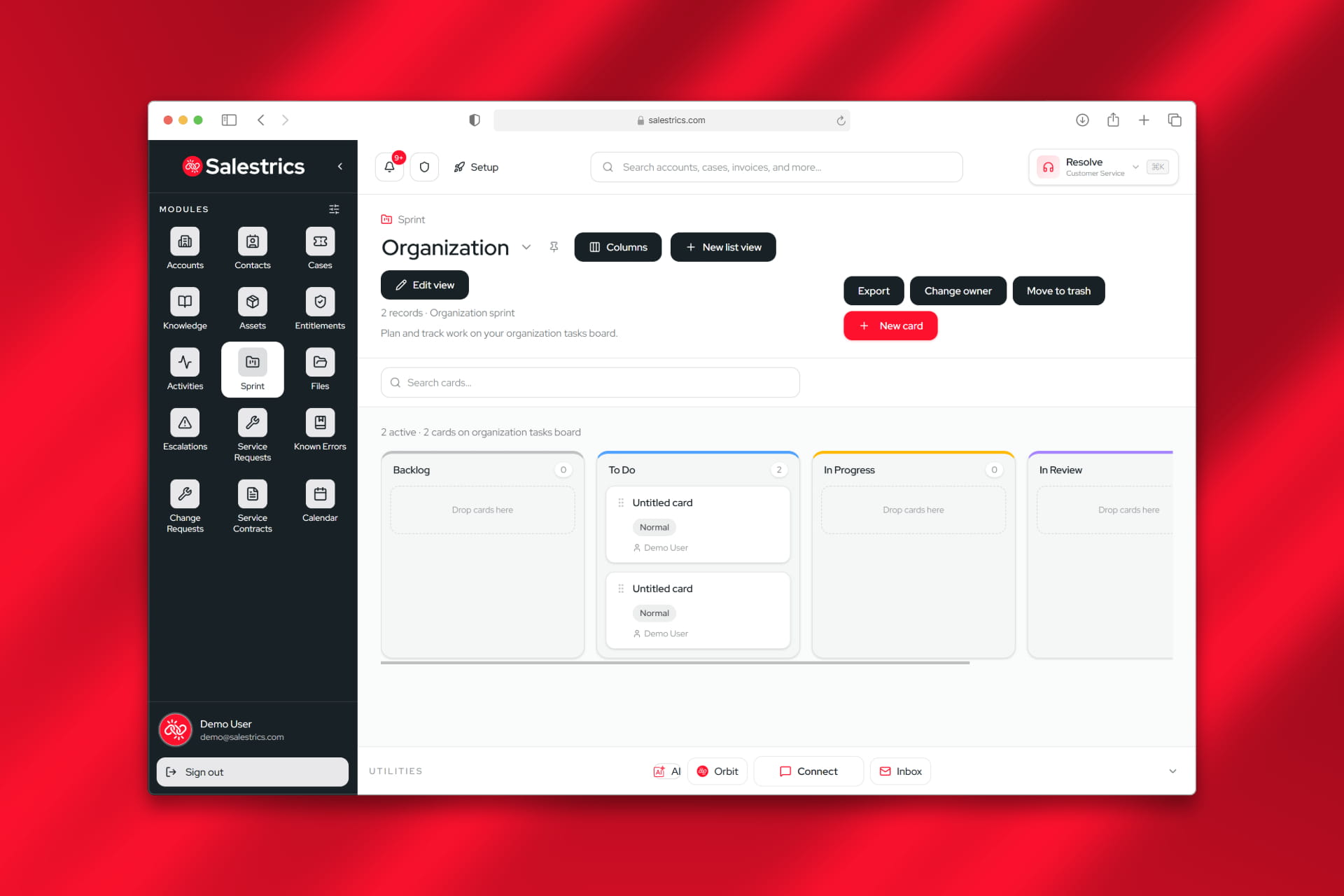
What stands out is how it structures your operational data. Salestrics runs multiple core modules: Momentum CRM, Salestrics Mail, Workspace documents, Resolve support desk, and Ledger finance, on a single, shared customer database. When a prospect emails you, the interaction logs automatically to their record. When you draft a proposal, it sits directly beside their pipeline stage.
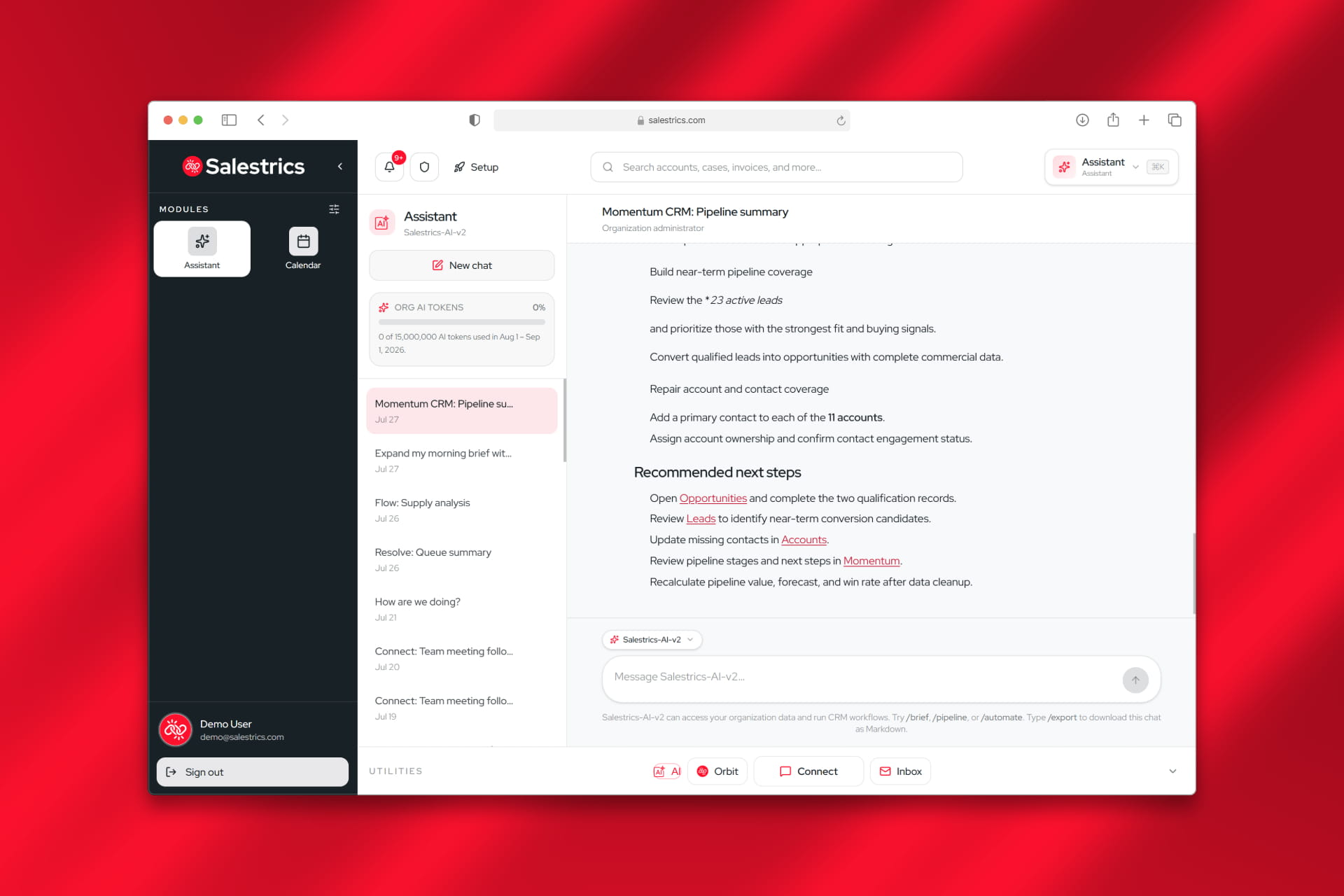
The primary benefit is context-grounded AI. Instead of using generic prompts, the built-in Salestrics AI assistant reads your live emails, documents, and customer history. This allows you to ask targeted questions, like identifying accounts that went quiet after a demo or drafting highly tailored follow-ups based on past discussions, and receive answers tied directly to real records.
The Daily Revenue Workflow Experience
This is where Salestrics shows its utility. Instead of bouncing between tabs, your daily operational tools live in one place.


You can easily manage deals in the Momentum pipeline, draft agreements in Workspace, host sales calls via Connect, and let the AI generate meeting summaries directly on the buyer record. It is a highly cohesive experience for teams wanting to eliminate the friction of juggling multiple software bills.
Key Features Worth Knowing
Momentum CRM
A pipeline manager featuring record workflows, customizable list views, and Sprint kanban boards. It is built to organize your pipeline from lead to closed-won.
Salestrics Mail & Workspace
A built-in business mail client at mail.salestrics.com and a document workspace supporting native Office formats. This puts your emails, spreadsheets, calendar events, and sales proposals in the same layout as your customer data.
Assistant AI v2 & App Studio
An AI assistant that scans cross-app history to answer ad-hoc questions and prepare briefings. It also includes the AI App Studio, which lets teams build custom internal tools on live data without writing code.
Resolve Support Desk
An AI-native ticketing and service management module. This allows customer support and success teams to manage issues with full visibility into the customer's sales history.
Orbit! Company Social Feed
A database-native internal update feed. It enables you to invite external advisors, stakeholders, or executives to view organizational highlights without giving them access to sensitive customer databases.
Flexible Access and Pricing
Instead of high, per-seat price hikes for essential operational features, Salestrics uses tiered plans designed to scale with a startup's funding stages.
- Pre-seed & Solo Founders : can start on the Free Forever tier, which includes 1 seat, 1,000 CRM records, Salestrics Mail, and metered AI assistant capabilities.
- Seed Teams : can utilize the Startup plan ($59.99/mo) or the Launch plan ($149.99/mo) to unlock multi-seat collaboration, Orbit! company social feeds, and higher AI token limits.
- Series A & Growth Teams : can opt for Runway ($299.99/mo) or Scale ($549.99/mo) to support larger departments, guest meeting links, and unlimited CRM records.
Paid tiers include a 30-day free trial with no credit card required, letting you test migration and daily workflows risk-free.
Who Is Salestrics For?
- Solo founders needing to establish a pipeline, business mail, and document storage from a single login
- Lean GTM teams looking to replace fragmented sales and support tool stacks
- RevOps managers wanting to standardize data fields and customer graphs without hiring custom consulting services
- Account executives tired of manually logging email threads and meeting summaries
- Customer success teams requiring immediate visibility into historical sales discussions
- Anyone looking for a unified, AI-native CRM and operational revenue workspace
Accessibility: Traditional Point Tools vs. Salestrics Workspace
| Operational Feature | Traditional Frankenstack | Salestrics Platform |
|---|---|---|
| Primary Experience | Siloed tabs (HubSpot, Slack, Google Drive) | Unified revenue workspace on one login |
| Data Structure | Fragmented across disconnected databases | Single customer graph and shared data layer |
| AI Intelligence | Ungrounded, requiring manual copy-pasting | Context-grounded across pipeline, mail, and docs |
| Pricing Structure | Multiple, compounding per-seat subscription bills | Tiered, all-inclusive pricing with trials |
Salestrics Review: The Verdict
✅ What I liked:
- Eliminates tool fragmentation by putting CRM, mail, and docs on one login
- Grounded AI v2 reads your real deal history to minimize manual input
- Clean, fast, self-serve setup that works on day one
- Robust Free Forever tier and risk-free 30-day trial options
- Built-in Resolve service desk aligns sales and customer support
- Orbit! feed keeps stakeholders engaged without exposed CRM data
Overall, Salestrics offers a practical alternative to complex, expensive enterprise CRMs. It strips away the necessity of stitching together five different communication and document tools, allowing startups to focus on execution. If you are specifically looking to simplify your software stack, centralize your buyer context, or use AI that is actually grounded in your daily workflow, it is well worth trying out.
The focus on a unified customer graph is a major step forward for lean organizations. Instead of maintaining disjointed software platforms, you gain a clear, single source of truth that runs your week.

Latest News: Salestrics 2.0 Launch
To see the development direction of the workspace, you can look at their recent platform milestones. Salestrics recently introduced version 2.0, rolling out its context-grounded AI v2, in-meeting Digital Executives, and the low-code AI App Studio. This follows the launch of their free, ATS-optimized AI Resume Builder on app.salestrics.com/resume, designed to streamline career document formatting for job seekers.
FAQ
What is Salestrics?
It is an AI-native revenue workspace that combines CRM, business email, documents, meetings, finance, analytics, and support ticketing onto a single customer graph.
How does the AI in Salestrics differ from general chat tools?
Unlike standard AI assistants that require you to manually copy and paste context, Salestrics AI is natively grounded. It reads your actual deals, emails, and workspace documents to draft follow-ups, answer complex account queries, and summarize video meetings.
Can I use Salestrics Mail with my existing domain?
Yes. Every plan, including the Free Forever tier, includes Salestrics Mail. You can manage personal and organizational mailboxes directly from your workspace.
Is there a free trial for paid plans?
Yes. Salestrics provides a one-time, 30-day free trial for their paid tiers, including Intro, Startup, Launch, Runway, and Scale, without requiring a credit card at signup.